

How design strategy, clear communication, and AI innovation reshaped organizational alignment and empowered leaders to deploy talent with confidence.
PwC Experience Design
The Challenge
After several restructures, the new leaders responsible for selling and staffing work did not understand the difference between UX and UI or how to match designers to project needs—resulting in misaligned staffing, low engagement, and inconsistent client delivery.
The Outcome
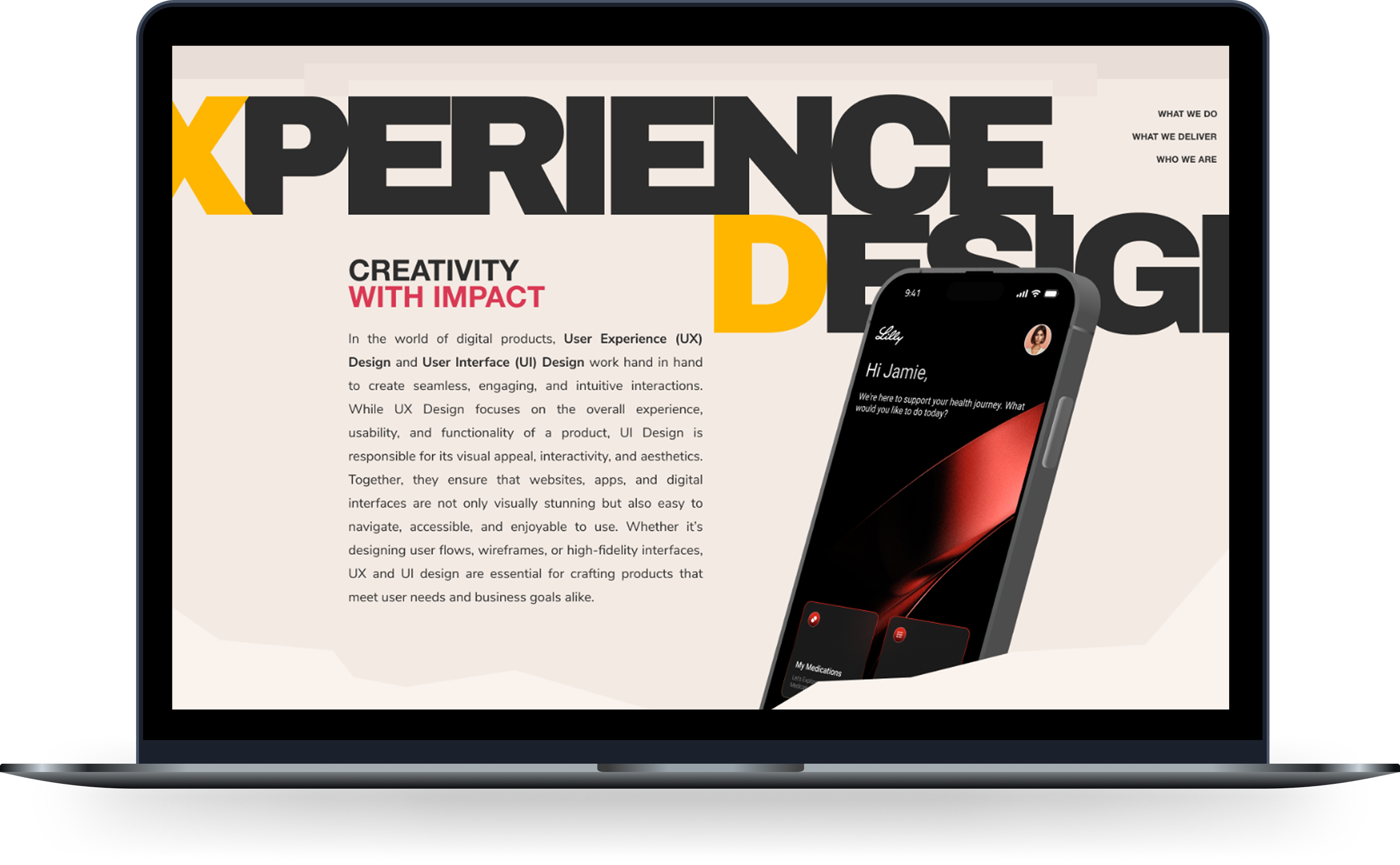
I created a one-page UX/UI education experience and a custom AI assistant that clarified our disciplines, visualized team capabilities, and recommended ideal staffing based on skills, project types, and goals. This led to better staffing accuracy, higher team engagement, and stronger client outcomes.
My Role
I initiated and led the entire effort: interviewing leaders and deployers to identify knowledge gaps, designing the educational framework, developing designer profiles and capability maps, and building/training a GPT using project history, team skills, and career goals to operationalize design intelligence across the organization.
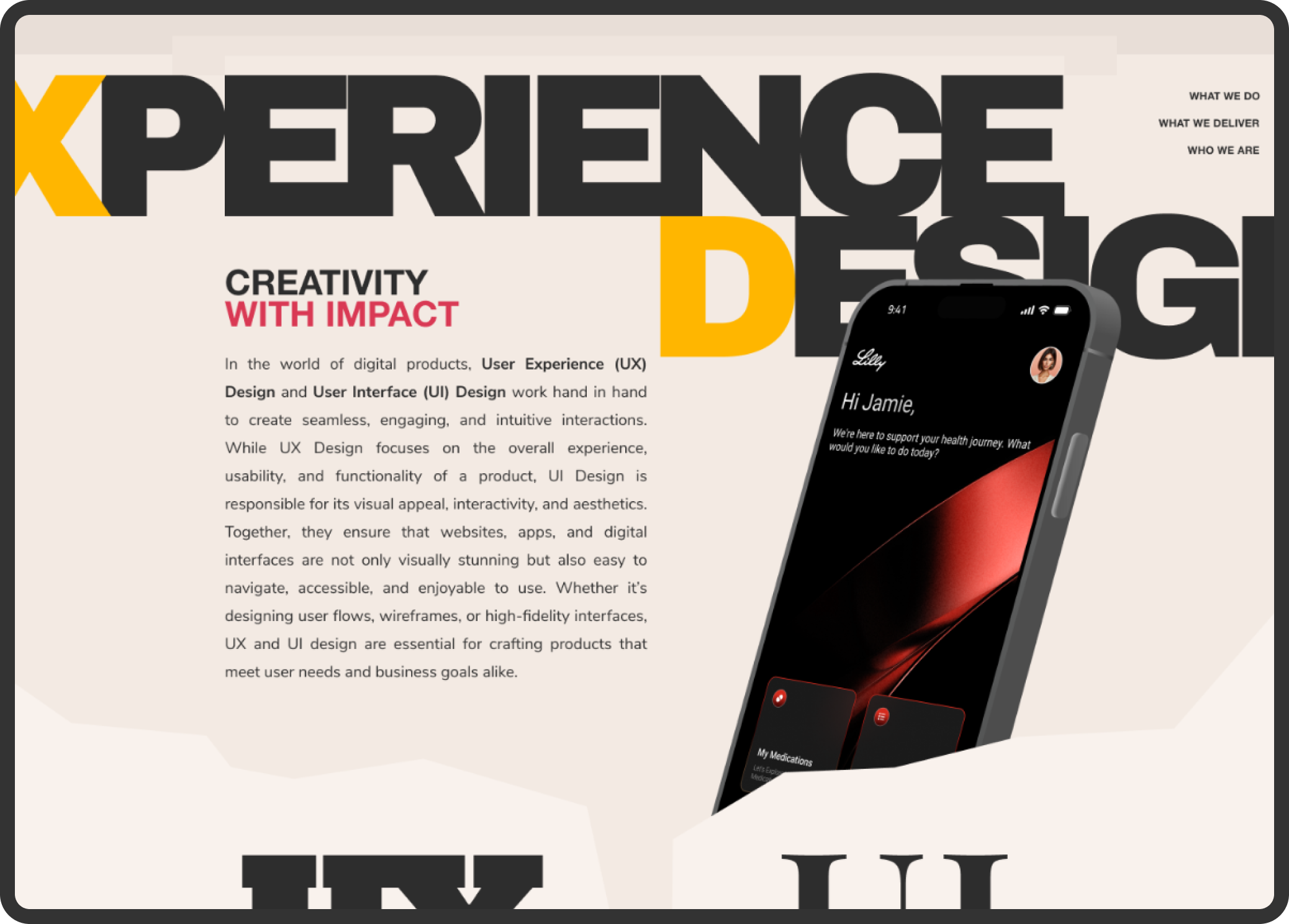
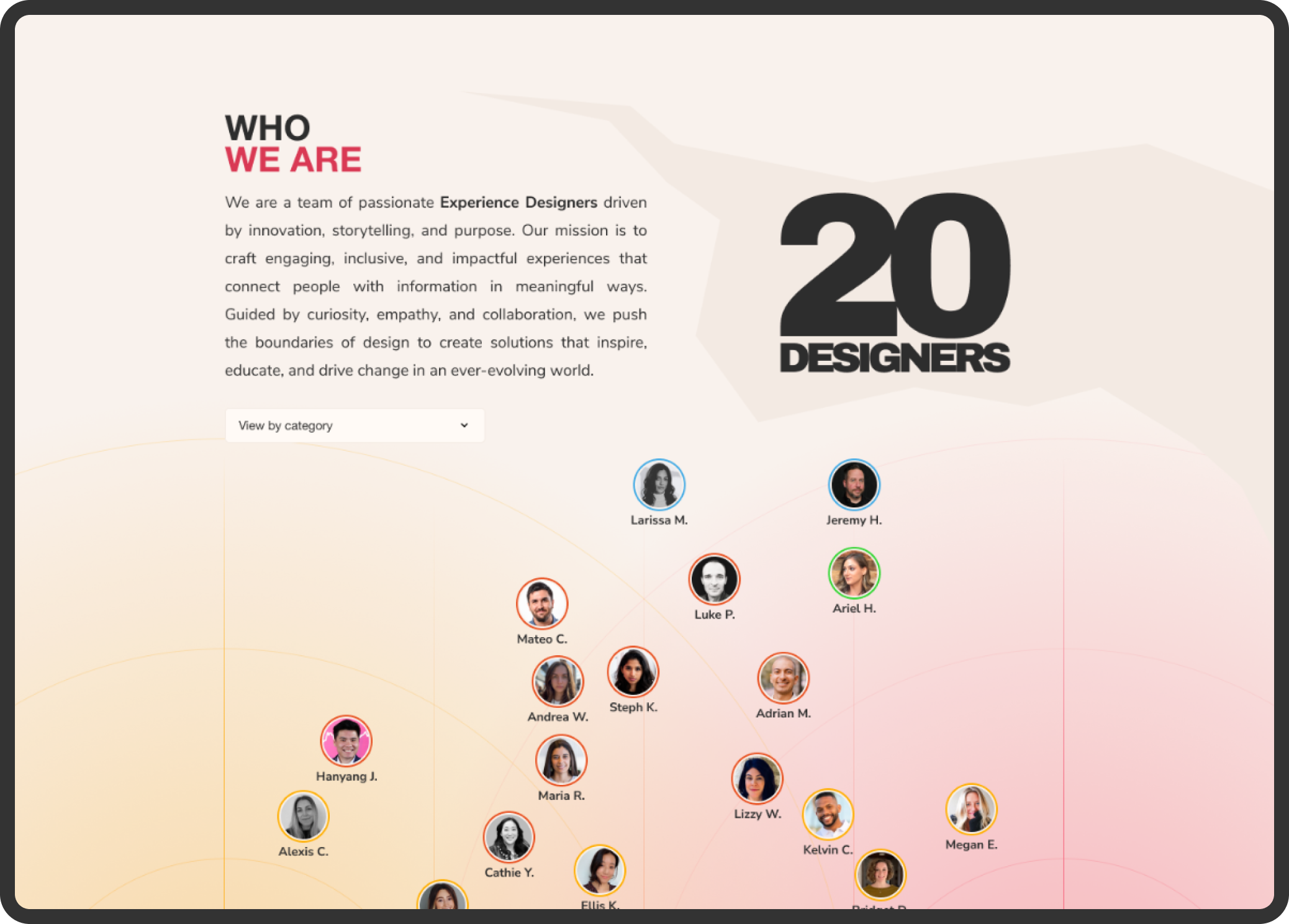
A visually structured, accessible explanation of UX vs. UI that became the new source of truth for leaders, deployment teams, and sales partners.

Context
Following several rapid organizational restructures at PwC, the Experience Design team’s capabilities became misunderstood by leaders responsible for selling and staffing work. These leaders came from different business backgrounds, and many lacked exposure to the nuances of UX and UI.
This created real operational challenges:
Designers were staffed incorrectly or underutilized
UX and UI roles were routinely conflated
Leaders struggled to explain design’s value to clients
Designers felt unseen and disconnected from meaningful opportunities
Misaligned teams led to inconsistent delivery and weakened client trust
The problem wasn’t design, it was organizational clarity and alignment.
The Solution
To rebuild understanding and equip leaders with the tools to make confident staffing decisions, I designed a multi-layered system combining education, visualization, and AI-powered intelligence.
1. A One-Page Design Education Experience
The foundation of the system was a concise visual explainer detailing:
What UX does
What UI does
How the roles differ and overlap
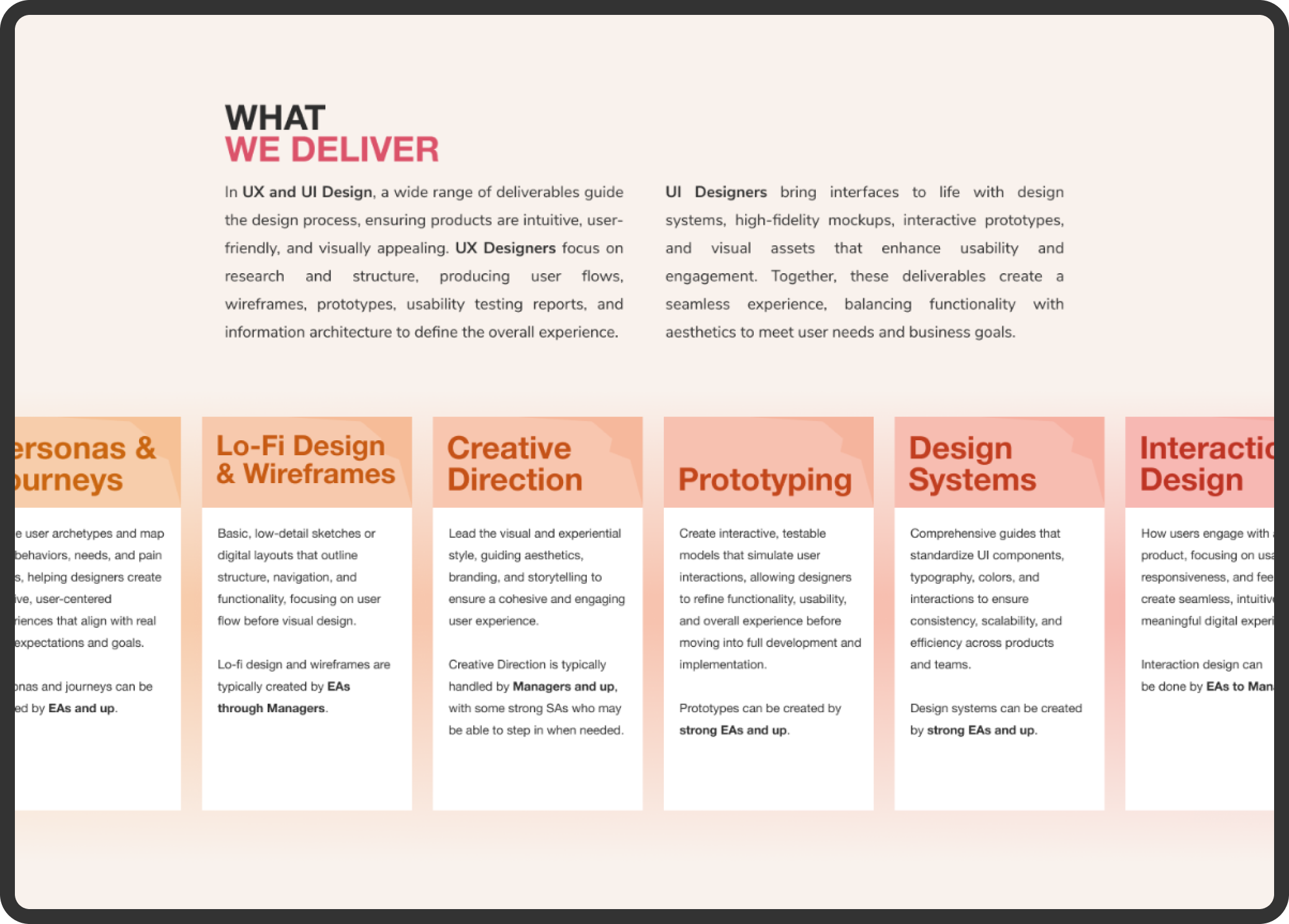
The deliverables each discipline produces
The value design brings to engagements
How design supports the lifecycle of client work
This quickly became the “north star” for design understanding across the firm.
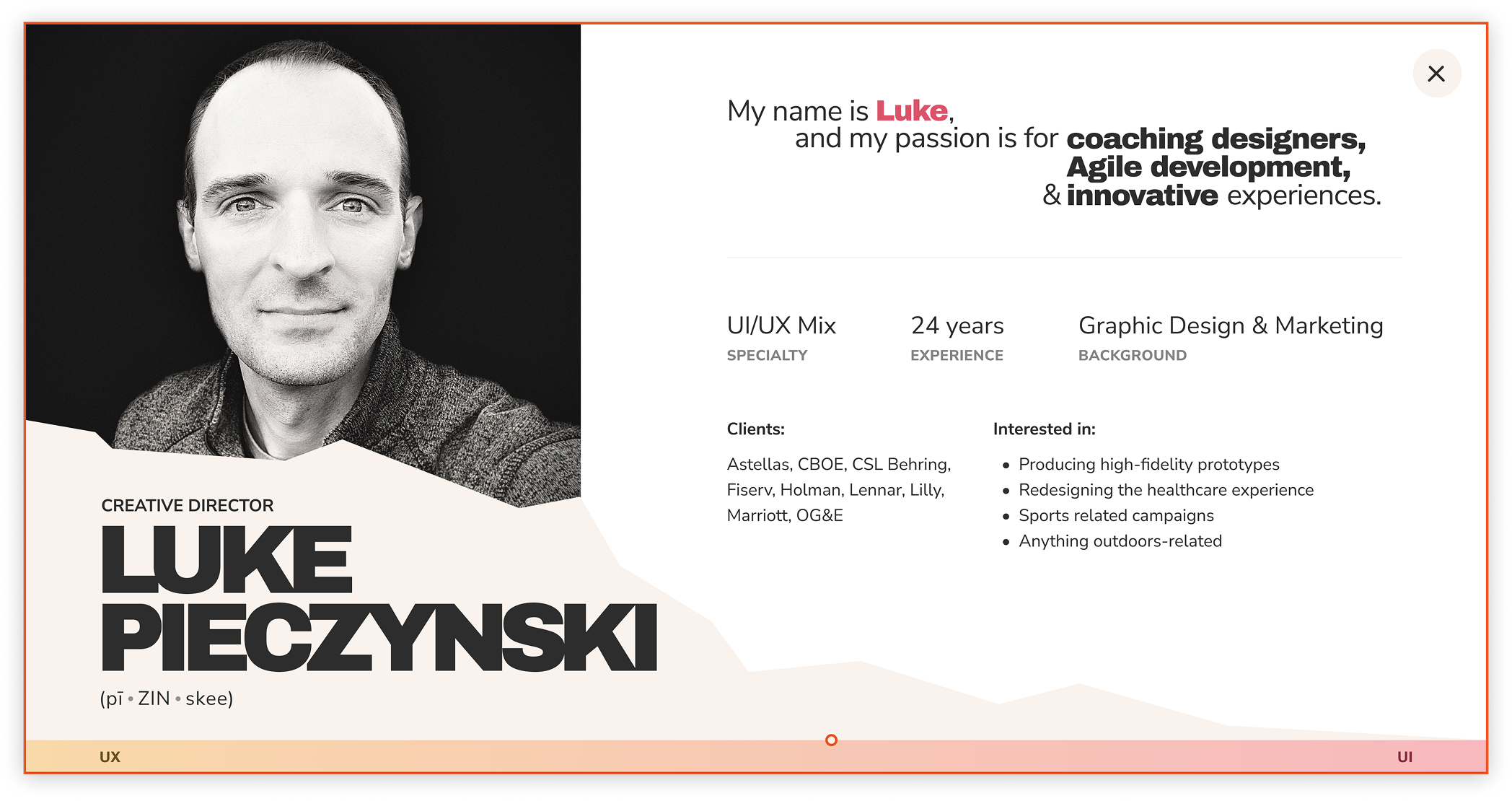
Clicking any designer revealed a human-centered profile summarizing strengths, experience, interests, and design specialties—making staff capabilities instantly visible and understandable.
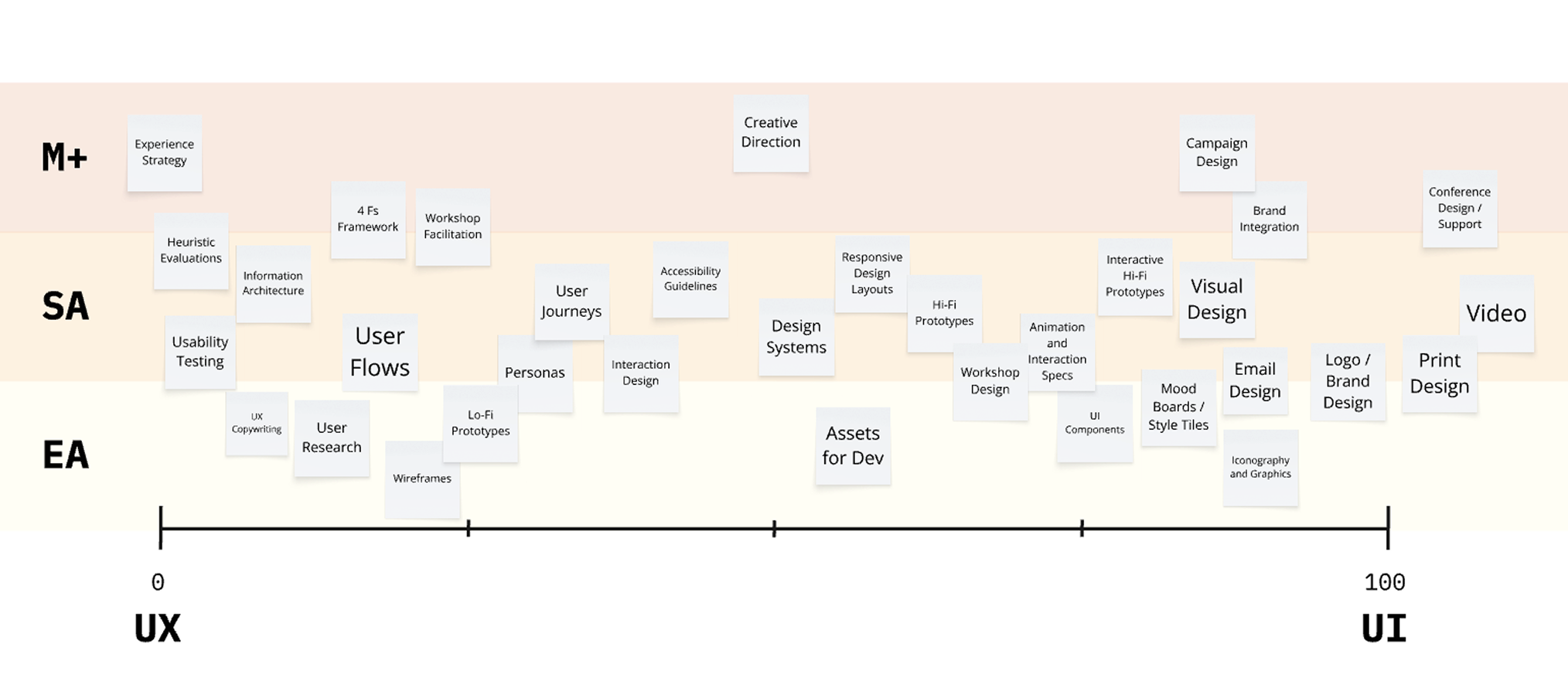
A mapped taxonomy of a majority of our team’s UX/UI capabilities—from research to visual design—organized across the full spectrum. This framework established the foundation for role clarity and staffing decisions. (Legend: M+ = Managers and up; SA = Senior Associates, or Senior Designers; EA = Experienced Associates, or Junior Designers)
2. DAX: The Design Advisory eXperience
To operationalize this system and make design knowledge scalable, I created DAX, a custom GPT model trained on:
Past project documentation
Team skill matrices
Designer bios and development goals
The UX/UI taxonomy
Patterns from successful staffing configurations
Why the name matters
“Design Advisory eXperience” reflects the assistant’s purpose:
Advisory: offering strategic perspective, not just answers
eXperience: representing both the design discipline and the quality of interaction
DAX helps leaders:
Determine whether a project needs UX, UI, or both
Identify the ideal team composition based on scope
Match designers to projects based on skills and goals
Understand why certain staffing choices make sense
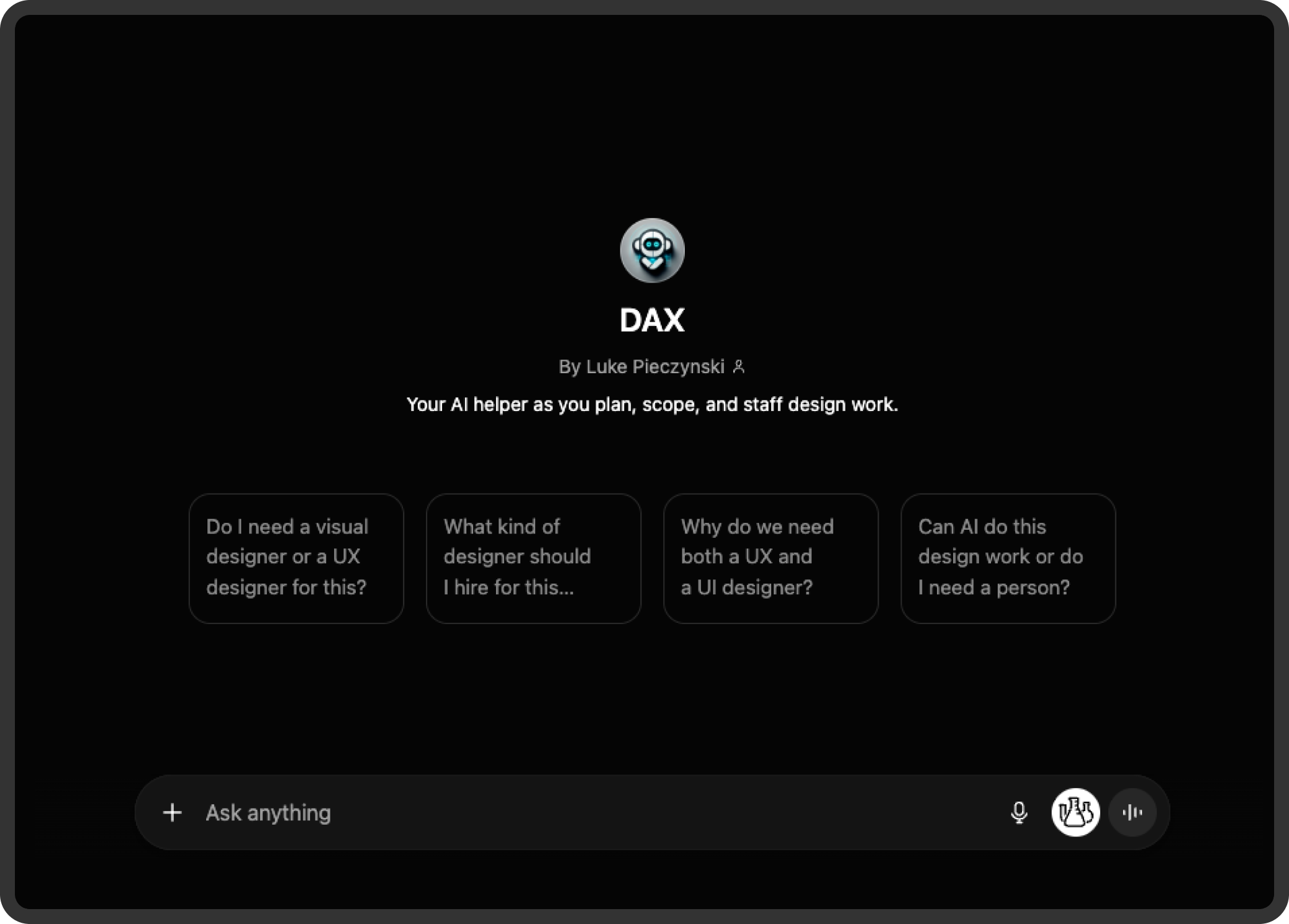
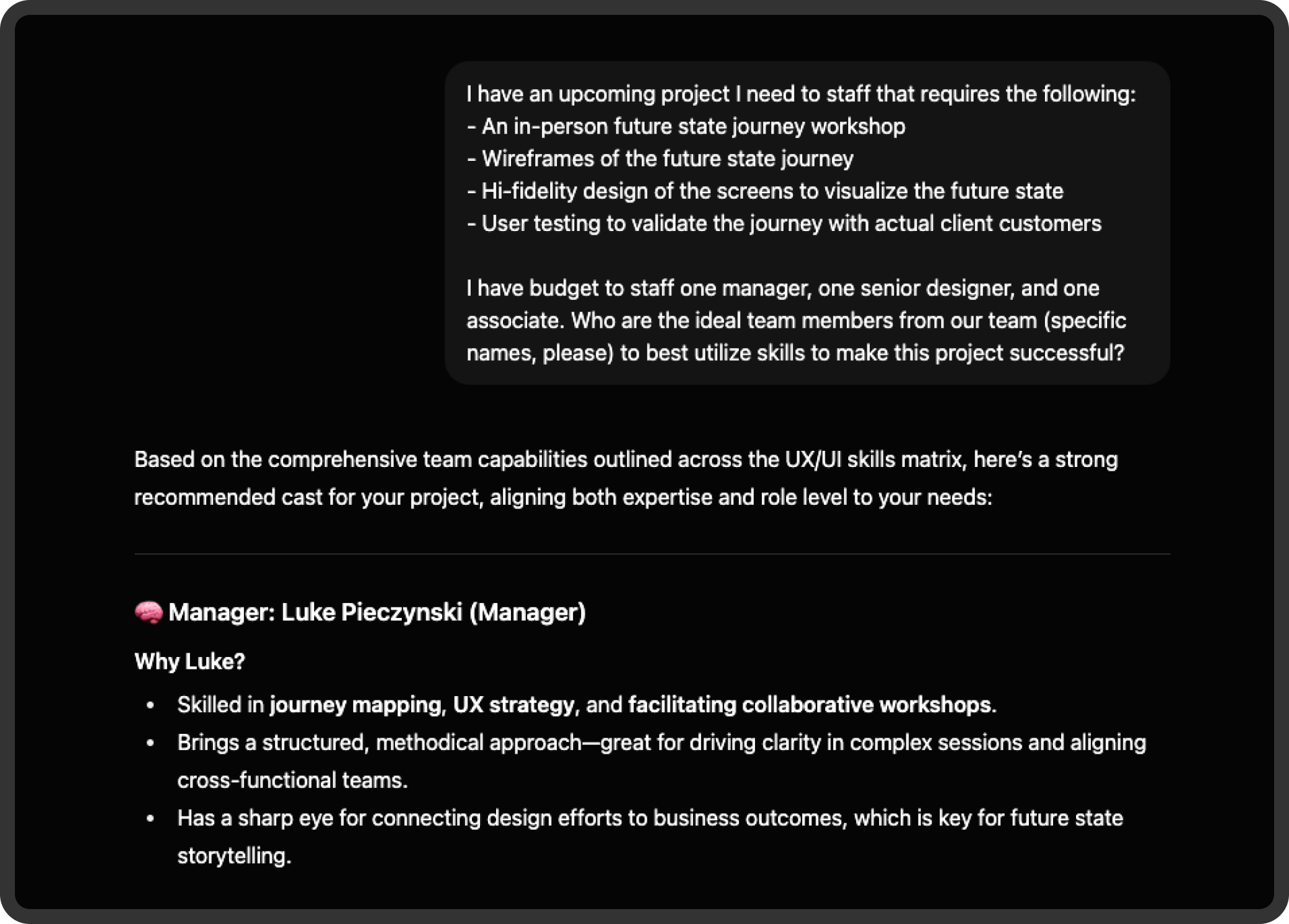
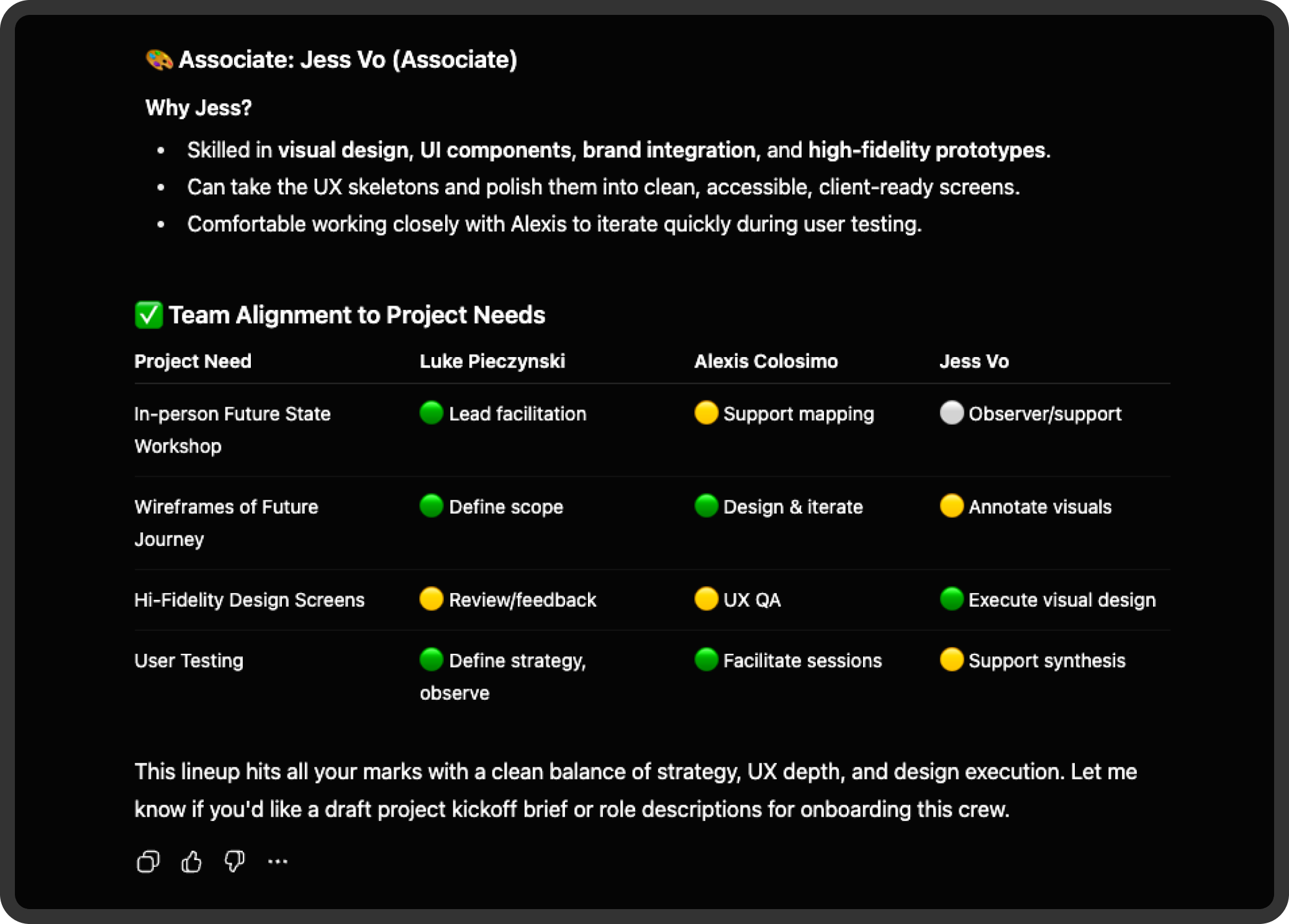
DAX, a trained GPT model, acted as an intelligent staffing partner providing role clarity, team recommendations, and rationale grounded in real project patterns and team capabilities.
The Impact
1. Accurate staffing aligned to expertise
Leaders could confidently match project needs to designer skills, improving delivery quality.
2. More engaged designers
Team members were placed in roles that aligned with strengths and supported their career paths.
3. Meaningfully improved client outcomes
Properly staffed teams delivered more consistent, higher-quality experiences more efficiently.
4. Reduced friction for leaders and deployers
A shared language and intelligent assistant eliminated ambiguity and accelerated decisions.
5. A scalable, future-ready model
New designers, new skills, and new project types can easily integrate into the system.
6. A cultural shift
Design became more visible, better understood, and strategically valued across the organization.
How I Led The Work
Vision setting
Identified a systemic organizational issue and defined a holistic solution.
Systems thinking
Built a layered ecosystem of education, visibility, taxonomy, and AI.
Cross-functional influence
Unified leaders, deployers, and designers under shared understanding.
Team empowerment
Gave designers visibility and clear pathways to aligned opportunities.
Strategic innovation
Leveraged AI thoughtfully to solve real operational challenges.
Operational impact
Improved staffing efficiency, morale, and client outcomes.
Storytelling & communication
Made complex design concepts legible and actionable for non-design leaders.
Conclusion
This initiative turned organizational ambiguity into clarity and empowered both leaders and designers. By combining education, visual frameworks, and an AI-powered staffing assistant, we created a scalable system that elevated the Experience Design team’s visibility, improved staffing outcomes, and strengthened the quality of work delivered across PwC.
The result is a model that continues to guide how design is understood, staffed, and valued—today and into the future.